Operator overview, alarms and trends
Screens may include plant or system overview, equipment state, selected analog trends, alarm acknowledgement and event history. Tag lists, time synchronization and retention should be specified for the platform.
Hydroelectric, Power & Water Systems
A plant supervisory system can bring equipment status, selected process values, alarms and event history into a common operator view. SmartPLC Solutions can scope SCADA screens, PLC/RTU communications and remote telemetry around existing controls, available networks and operator workflows. Remote access and commands must be secured and limited to approved roles. Automation scope depends on the equipment, operating sequence, existing controls and process requirements. Share the machine details and desired outcome to define a suitable control approach.
Separate monitoring tags from commandable points and define operator roles, local/remote authority, command confirmation and interlock ownership. Show source, timestamp and stale/communications status for remote measurements. Remote-access architecture should be approved by the plant OT owner and include segmentation, controlled authentication and a documented recovery path.
A plant supervisory system can bring equipment status, selected process values, alarms and event history into a common operator view. SmartPLC Solutions can scope SCADA screens, PLC/RTU communications and remote telemetry around existing controls, available networks and operator workflows. Remote access and commands must be secured and limited to approved roles.
Screens may include plant or system overview, equipment state, selected analog trends, alarm acknowledgement and event history. Tag lists, time synchronization and retention should be specified for the platform.
Modbus TCP/RTU, PROFINET or gateway-based integration may be considered only where the connected controller and network support the required interface. Protocol compatibility, data mapping and command authority must be verified per device.
Remote monitoring should use an owner-approved secure access path, role-based permissions, network segmentation and safeguards for operational technology. Do not expose controllers directly to public networks; command availability must be limited to approved roles and procedures.
Explore the control systems that may be relevant to this scope.
These active catalog products are related by their existing category. Confirm model compatibility, condition, availability and delivery for your destination before ordering.

HMI
Brand: Siemens · Model: KTP700
Siemens KTP700 Basic HMI, 6AV2123-2GB03-0AX0, with 7-inch TFT touchscreen, 800×480 resolution, 65,536 colors, PROFINET communication and 24VDC supply.

Control Panel Components
Brand: MECHATRONICS AUTOMATION · Model: MAES-0002
Automatic relay and contactor-based control panel for 10 HP baling machines, providing automatic cycle control, motor protection, limit-switch sequencing, fault indication and operator controls without a PLC.

Control Panel Components
Brand: MECHATRONICS AUTOMATION · Model: MAES-001
Fully automatic AGSS control panel for automatic operation and monitoring of two-stage vacuum/scavenging systems, featuring HMI monitoring, automatic pump control, pump selection, alarms, protection and emergency stop.

PLC
Brand: SIEMENS · Model: 6ES7214-1AG40-0XB0
Siemens S7-1200 CPU 1214C DC/DC/DC PLC with 14 digital inputs, 10 digital transistor outputs and 2 analog inputs. 24 V DC supply, 150 KB program/data memory and PROFINET communication.

Industrial Communication
Brand: Mechatronics Automation · Model: MAES-COMM-3
RS232 serial communication cable for compatible PLCs and HMIs, suitable for programming, configuration, commissioning, diagnostics and industrial automation communication.
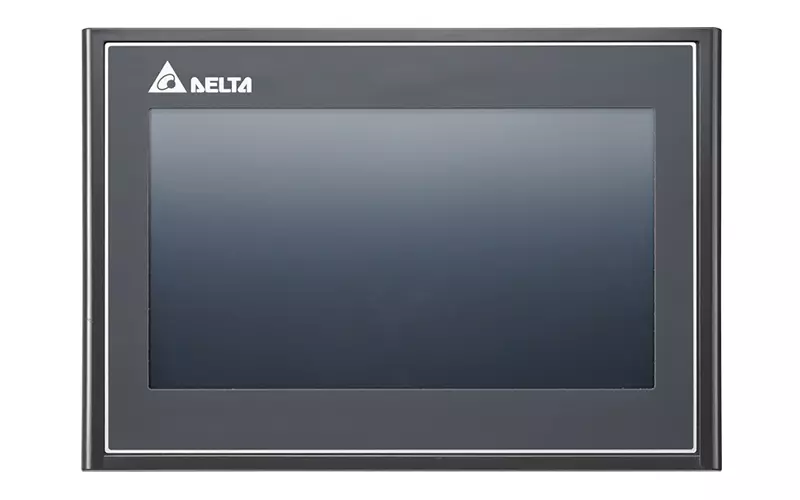
HMI
Brand: DELTA · Model: DOP107CV
Delta DOP-107CV 7-inch industrial touchscreen HMI with 800×480 resolution, 65,536-color TFT display, 256 MB RAM/ROM, RS-232/RS-485/RS-422 communication, USB Host/Client, and 24 VDC power supply.
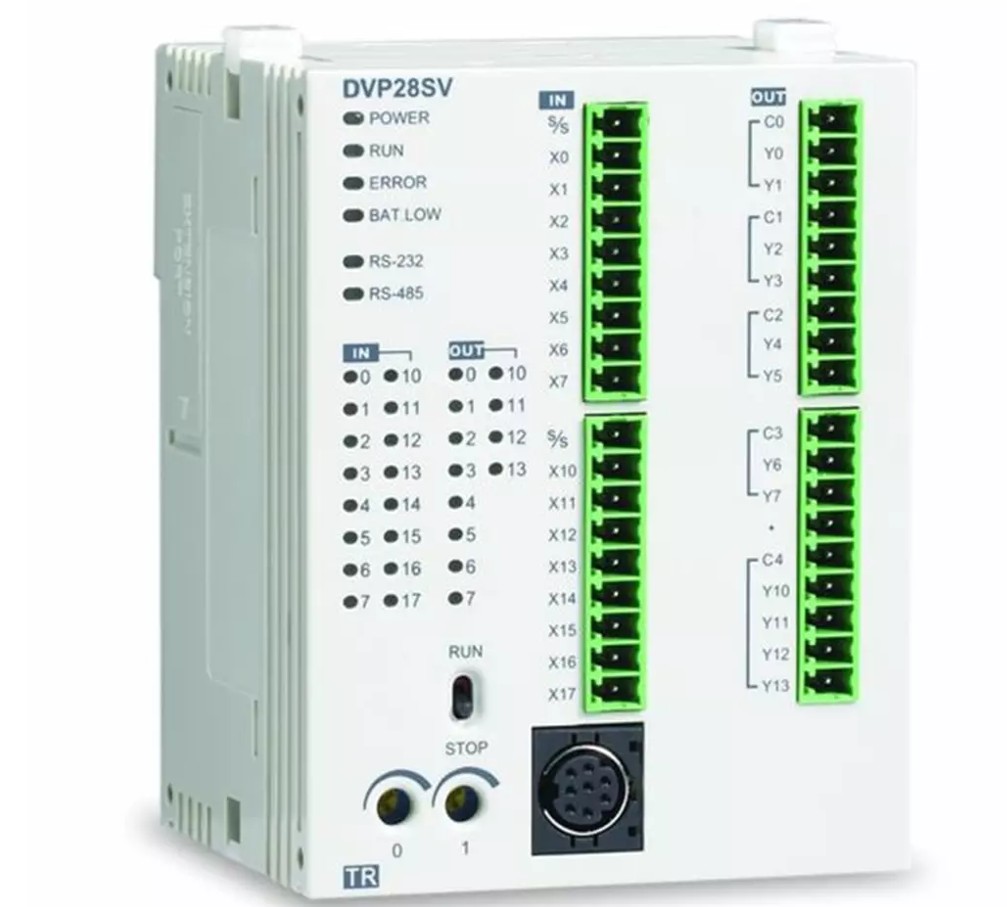
PLC
Brand: Delta · Model: DVP28SV11R
Delta DVP28SV11T2 DVP-SV2 Series high-performance slim PLC with 16 digital inputs and 12 NPN transistor outputs. Featuring high-speed processing, high-speed counters and pulse outputs, it is suitable for machine automation, motion control, packaging, printing, conveyor and industrial control applications

Control Panel Components
Brand: Phoenix Contact · Model: PLC-BPT-24DC/21
Compact Phoenix Contact PLC interface relay assembly for industrial control panels, featuring 24 V DC nominal input, DIN-rail mounting, push-in connections, and status indication.
Discuss the equipment, existing controls and project requirements with our engineering team.
Request service quote →Discuss the equipment, existing controls and project requirements with our engineering team.
Request service quote →Discuss the equipment, existing controls and project requirements with our engineering team.
Request service quote →Discuss the equipment, existing controls and project requirements with our engineering team.
Request service quote →Discuss the equipment, existing controls and project requirements with our engineering team.
Request service quote →It can present configured equipment states, process values, selected trends, alarms and events from connected PLCs, RTUs or gateways, subject to the available tags and platform capabilities.
Modbus TCP/RTU, PROFINET or gateway-based links may be suitable when supported by the installed devices and architecture. Each interface needs verification; support is not universal across all systems.
Use the plant-approved secure access route, role-based permissions and network segmentation. Avoid direct public exposure of controllers and restrict remote commands to explicitly approved roles and procedures.
No. Alarm history and trends depend on platform features and project configuration. Any formal record, retention or regulatory requirements need separate specification and assessment.
Share the equipment details, current controls and process sequence for a scope review.